
Get expert tips from Sony LED TV repair in Vizag. Learn common TV issues, simple fixes, and when to seek professional repair help.
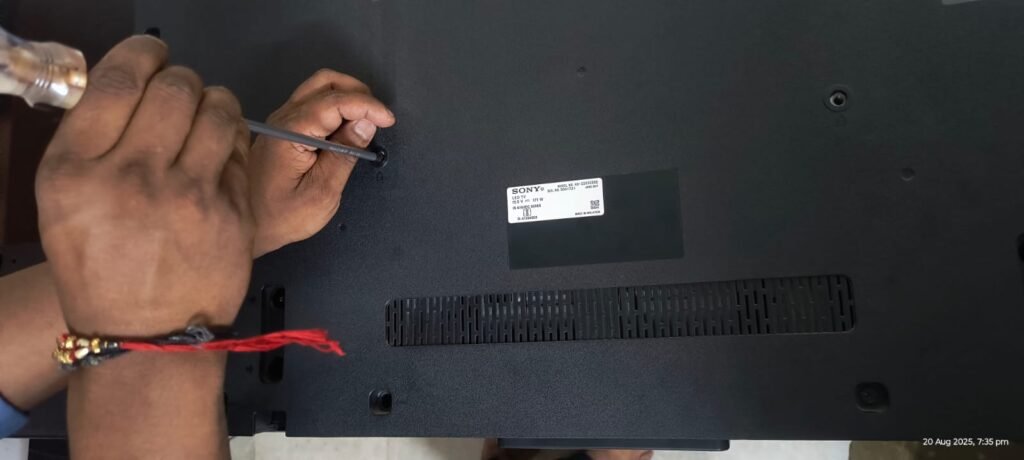
Introduction
Because of their durability and picture clarity, Sony LED TVs are widely used in Vizag homes. However, they occasionally experience problems like black screens, malfunctioning sound, or overheating, just like any other electronics. Knowing a few simple solutions you can try at home helps you avoid panicking. Additionally, the safest course of action when the problem is more complicated is to visit a Sony LED TV repair in Vizag.
The most frequent Sony TV problems are covered in this guide, along with simple at-home solutions and when to hire experts for Sony LED TV repair in Vizag.
1. TV Not Powering On
A television that won’t turn on is one of the most common problems for Sony LED TV repair in Vizag.
Why it happens:
- Loose or Faulty Power Cable
Sometimes the problem is as simple as the TV not receiving enough power. If the power supply is disrupted by a loose connection, a worn-out plug, or a damaged power cable, your TV might not turn on. Examining and replacing the cable often solves the issue quickly.
- Power Board Failure
The power board, which provides electricity to all the parts of every TV, is an essential component. The TV may not start at all or may abruptly shut down while in use if the power board is damaged or malfunctions. Usually, this needs to be replaced or repaired by a professional.
- Electrical Surge Damage
The internal circuits of your TV can be severely damaged by an unexpected electrical surge, which is often caused by lightning or an unstable power source. Surge damage could burn out the motherboard, power board, and other sensitive parts. By using a stabilizer or surge protector, such costly issues can be prevented.
Quick fixes:
- Use a Different Device to Test the Wall Socket
Make sure the power source is operational before assuming the TV is broken. Connect a different gadget to the same socket, such as a lamp or a phone charger. If that device isn’t turning on either, the problem might be with the wall outlet rather than the TV.
- Reconnect the TV Cable Securely
Sometimes a loose power cable is the only reason the TV won’t turn on. Examine the cable’s plug-in end and the end that is attached to the TV. To guarantee a suitable power supply, firmly reconnect it.
- Do a Hard Reset
A hard reset can frequently resolve minor system issues. This can be accomplished by unplugging your Sony LED TV from the power source, waiting ten minutes or so, and then plugging it back in before turning it on. This can fix short-term issues and refresh the system.
If it still doesn’t work, it may require motherboard replacement at a Sony LED TV repair service in Vizag.
2. No Picture but Sound Works
The TV playing sound but not visuals is another common problem for Sony LED TV repair in Vizag.
Causes include:
- Backlight Failure
A backlight failure is most likely the reason why your TV turns on and you can hear sound, but the screen remains dark. Even though the TV is technically operating, the display appears black when the backlight stops working, which is what makes the picture visible. Usually, this problem calls for expert replacement or repair.
- Loose HDMI Cable
Sometimes the problem is not the TV itself, but the connections. A loose or broken HDMI cable may interfere with the signal that travels from your TV to external devices like a gaming console, streaming stick, or set-top box. Often, all it takes to restore the image is to safely unplug and replug the HDMI cable.
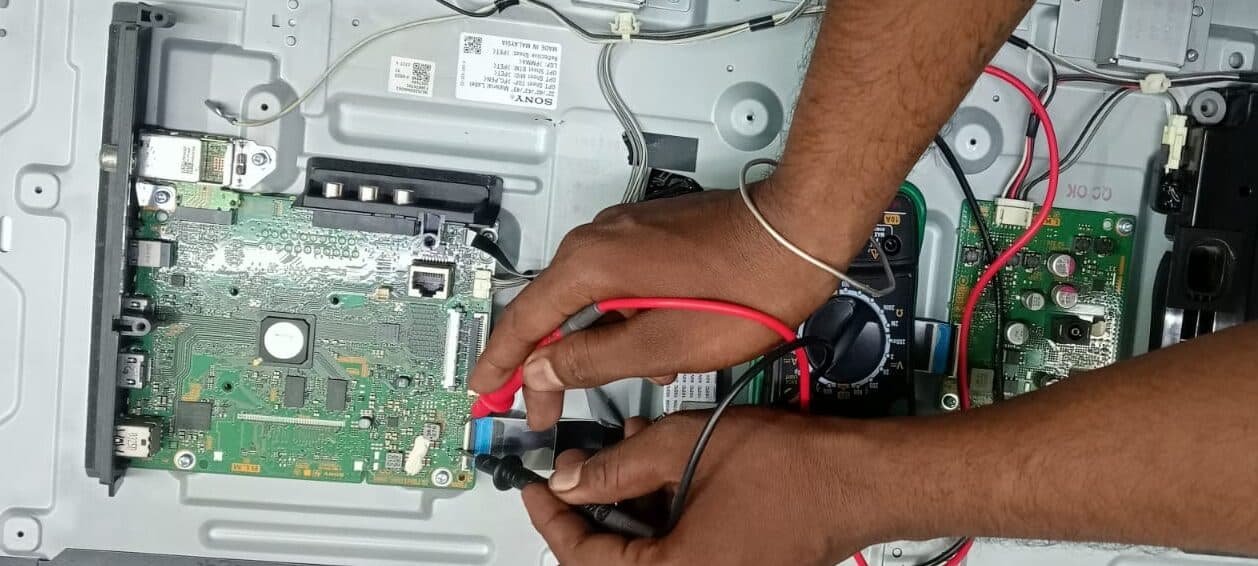
- Damaged Display Panel
The most crucial component of any LED TV is the display panel. You might notice lines, discoloration, or a completely blank screen if it is damaged by physical impact, internal issues, or normal wear and tear. Panel damage is regrettably one of the most expensive problems to repair, and it frequently necessitates a total replacement.
Solutions you can try:
- Use a Different HDMI Port or Cable
The HDMI connection may be the problem if your TV displays an error or no images. Either swap out the cable for a new one or try plugging it into a different HDMI port on the TV. Sometimes the only reason the image doesn’t show up is a loose or malfunctioning HDMI cable.
- Reset the Picture Settings
Display problems like a dark, faded, or distorted screen can also be caused by incorrect picture settings. Navigate to the menu on your TV and return the picture settings to their original settings. This frequently resolves issues brought on by excessively high or low contrast, brightness, or color settings.
- Shine a Flashlight on the Screen
Get a flashlight and shine it directly at the screen if the TV turns on but the screen remains black. The backlight has failed if you see dim images moving on the screen. In this instance, replacing the malfunctioning backlight on the TV requires expert repair.
You will require assistance from a technician in Vizag if the screen stays blank.
3. Distorted or No Sound
Sound problems are a common complaint among those looking for Sony LED TV repair in Vizag.
Why it happens:
- Incorrect Sound Settings
Sometimes the problem is with the settings rather than the TV hardware itself. You might hear very little or no sound at all if the audio mode, balance, or output settings are set incorrectly. The issue is frequently resolved by choosing the appropriate audio output or returning the sound settings to their original settings.
- Outdated Firmware
Firmware, or software, is what controls the operations of modern LED TVs. Audio issues like sound cutting out, not syncing with the video, or completely disappearing can be caused by outdated or corrupted firmware. These problems are typically fixed by updating the TV’s firmware to the most recent version.
- Faulty Internal Speakers
Your TV’s built-in speakers may be broken if it displays images flawlessly but makes little to no sound, even after adjusting the settings. Wear and tear, power surges, or internal issues could be the cause of this. In these situations, the speakers need to be professionally repaired or replaced.
Fixes:
- Check Volume and Sound Mode Settings
If your TV is silent, start with the basics. Make sure the volume is not muted and is set to the proper level. Check the sound mode settings in the menu as well. Sometimes the TV is in the wrong output mode, which can prevent sound from reaching the built-in speakers.
- Connect to External Speakers to Test
Try connecting external speakers or a soundbar to determine whether the issue is with the TV’s speakers or system. The internal speakers might be broken if sound comes from the external device. This test enables you to rapidly determine whether the problem is with the hardware or the settings.
- Update the TV’s Software
The software (firmware) that powers modern TVs regulates both sound and visuals. Outdated software may cause issues like distorted audio or no sound. To address sound-related issues, check your TV’s settings for any available updates and install the most recent firmware.
Professional repair is required if internal speakers are damaged.
4. Remote Control Not Responding
Remote issues are common but small. Try these steps before contacting Sony LED TV repair in Vizag.
- Replace the Batteries
Weak or dead batteries are the most frequent cause of malfunctioning Sony TV remote controls. Make sure they are inserted correctly and replace them with a new set. This simple action frequently resolves the issue right away.
- Clean the Sensor Area
Sometimes the remote works perfectly, but the TV’s infrared (IR) sensor may not receive signals because of dust, debris, or obstructions. Make sure there is a clear line of sight between the TV and the remote control, and gently clean the sensor areas on both.
- Use the Sony TV App as an Alternative Remote
You can use the official Sony TV app on your smartphone if the remote still doesn’t work. Until the physical remote is fixed or replaced, you can use the app to operate your TV. This is a practical fallback to prevent disruptions to your viewing pleasure.
5. Wi-Fi and Smart TV Connectivity Issues
Another reason people look for Sony LED TV repair in Vizag is internet issues with smart TVs.
- Try these fixes:
- Restart Your Wi-Fi Router and TV
The first thing to do if your Sony LED TV is experiencing issues streaming content or connecting to the internet is to restart both the TV and your Wi-Fi router. Just disconnect them from the power source, give them a minute or two, and then reconnect them. This helps refresh the connection and often solves temporary network glitches.
- Switch to an Ethernet Cable for Stable Streaming
Sometimes Wi-Fi can be unpredictable, especially if there are a lot of devices connected or the signal is weak. For more seamless streaming, connect your TV directly to the router using an Ethernet cable. A wired connection provides a faster and more dependable internet speed for watching 4K or HD videos without any buffers.
- Update the TV Software
Outdated software can restrict streaming performance and result in network errors. Check the settings on your TV to see if there are any updates available. Updating the firmware on your Sony LED TV guarantees seamless operation, enhances app compatibility, and resolves Wi-Fi and streaming issues.
The internal module might need to be repaired if Wi-Fi problems continue.
6. Overheating Problems
Sudden shutdowns due to overheating are a common problem for Sony LED TV repair in Vizag.
What you can do:
- Keep Your TV in a Well-Ventilated Spot
While operating, your TV produces heat, and if that heat isn’t released appropriately, it may eventually harm internal parts. Your TV should be placed in a space with plenty of airflow. Keep it away from air-blocking walls and closed cabinets.
- Remove Dust from the Vents
The TV may overheat if dust accumulates around the vents, obstructing airflow. Develop the practice of routinely cleaning the vents with a vacuum or soft brush. Frequent cleaning prolongs the life of your TV and guarantees that the cooling system operates effectively.
- Avoid Keeping It On for Excessively Long Hours
The screen, backlight, and power supply may experience needless strain if the TV is left on for extended periods of time. If you have a tendency to nod off while watching, try turning it off when not in use or setting a sleep timer. This minor action lessens wear and tear and helps avoid overheating.
7. Lines, Spots, or Flickering on Screen
Another frequent cause for Sony LED TV repair requests in Vizag is screen problems.
- Causes:
- Internal connections that are loose
- The screen panel is damaged.
- Failure of the graphics chip
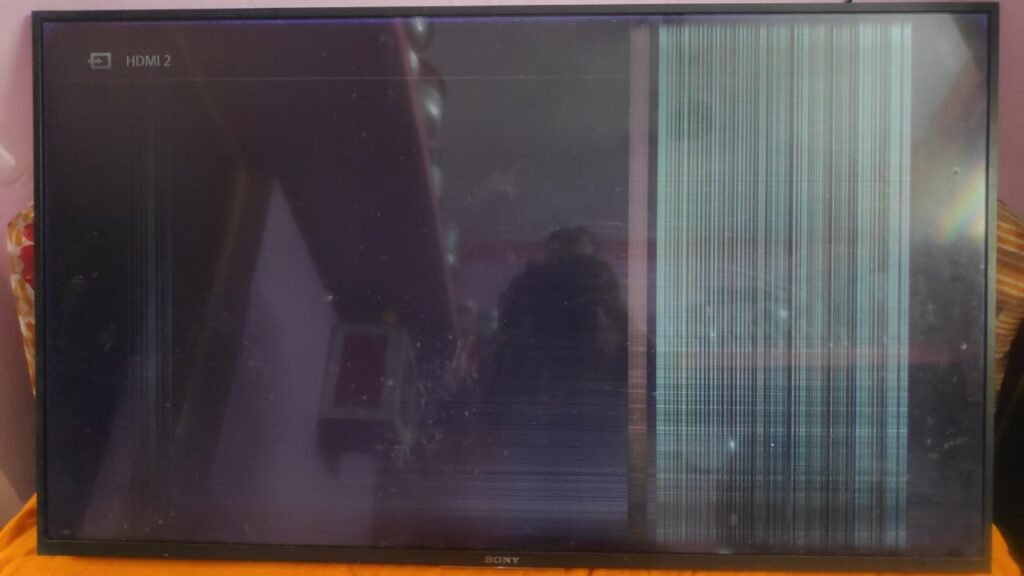
- Fixes to try:
Reset the image’s settings.
Reattach the HDMI cables.
Turn the television back on.
If the problem remains, the screen may need replacement.
8. if your Sony LED TV Blinking
If your Sony TV turning on but after some time it was going into blinking so at that we can clearly know the problem because by that blinking system we can easily
- 6 times blinking means the problem is Back lights
- 5 times blinking means the problem is display issue
- 4 times blinking means the problem is Mother board
- 3 times blinking means the problem is Power supply or Sound Problem
- 2 times blinking means it is considered as a Error
FAQs
- Where can I get Sony LED TV repair in Vizag?
For expert assistance, you can speak with reputable technicians providing Sony LED TV repair in Vizag.
2. Can I fix a Sony LED TV at home?
Simple issues like Wi-Fi or remote control can be resolved at home, but most issues require a Sony LED TV repair in Vizag center for reliable and safe fixes.
3. How long does a Sony LED TV last?
With regular upkeep and occasional Sony LED TV repair in Vizag, it can last seven to ten years.
4. Does a black screen always mean replacement?
Not all the time. Sony LED TV repair in Vizag can frequently fix a backlight or panel problem without requiring an expensive replacement.
5.Why are software updates important?
Updates improve performance and reduce errors. You can always count on a reputable Sony LED TV repair in Vizag center for knowledgeable assistance if updates don’t work.
Selecting the best Sony LED TV repair in Vizag can help you save time and money, regardless of whether the issue is with sound, display, or power.
Conclusion
Even though Sony LED TVs are made to be dependable, problems will occasionally occur. Simple troubleshooting can fix minor issues, but experts are required to handle major mistakes. For durable and secure solutions to get your TV back to its best working condition, rely on Sony LED TV repair in Vizag.
“Facing issues with Samsung TVs? Check our guide on Samsung LED TV Repair in Vizag.”
“Looking for Mi LED TV Repair in Vizag? Here’s a complete troubleshooting blog.”
“We’ve also written about 5 best LED repairs in Vizag — common problems and solutions.”
Pingback: 6 Proven Solutions for LG LED TV Repair in Vizag