
Is your LG LED TV giving you trouble? Discover typical issues and clever fixes for LG LED TV repair in Vizag with simple-to-follow guidelines.
Introduction
The advanced features, sound quality, and picture clarity of LG LED TVs make them popular. But like any other electronic device, they may eventually have problems. If you live in Vizag and your LG TV suddenly stops working, it could ruin your daily entertainment. It is better to comprehend typical problems and practical fixes than to panic. This blog will guide you through LG LED TV repair in Vizag using easy-to-follow steps.
Common LG LED TV Problems & Fixes
1. LG TV Not Powering On
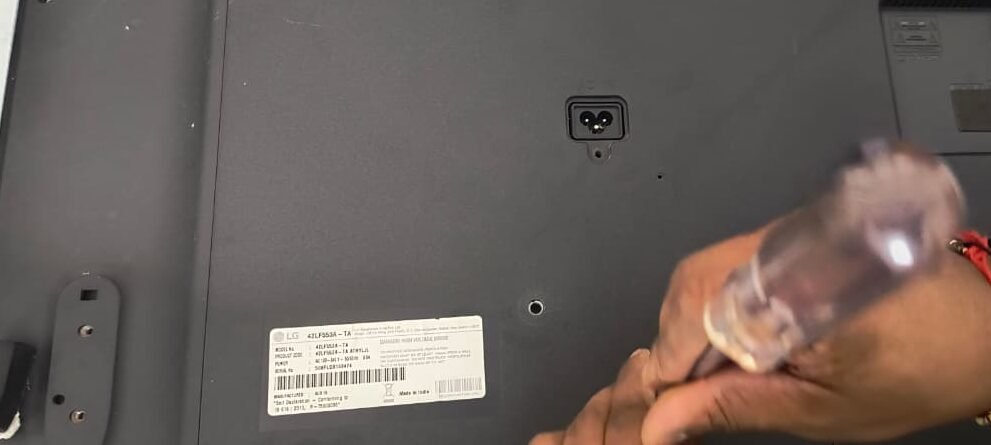
The TV not turning on is one of the most frequent issues. Make sure the socket is operational and the power cable is connected correctly before assuming the worst. A quick power reset, which involves unplugging the TV for a short while, can occasionally be helpful. The internal power supply board may be the cause of the problem if it continues, in which case professional repair is typically necessary.
- Power Supply: Verify that the plug is operational and the power cable is securely attached. To be sure, try plugging a different gadget into the same outlet.
- Reset the TV’s power supply by unplugging it, waiting five minutes, and then plugging it back in. The internal circuits can occasionally reset themselves.
- Indicators: The mainboard or power supply board may be the problem if the TV won’t turn on even though the standby light is on.
2. No Picture, but Sound is Working
This is a common issue where the TV turns on and the screen stays blank while the sound plays normally.
- Backlight Failure: Usually, the LED backlight is inside the TV. The fact that a faint image may appear on the screen if you shine a flashlight on it confirms this issue.
- Panel Issue: If the panel is damaged, the display will not function even if the backlight is operating correctly.
- Temporary Fixes: Replacing the backlight or panel is usually the long-term solution, though occasionally resetting the TV or adjusting the brightness settings can offer some temporary relief.
3. No Sound Output
A TV without sound is as annoying as one without images.
- Verify the settings: make sure the right audio output (TV speakers or external speakers) is chosen and that the volume is not muted.
- External Devices: Verify the cables and input mode if you’re using a soundbar or home theater system.
- Internal Issues: The TV’s built-in speakers or the audio integrated circuit may be the cause of the sound loss if it persists.
- If basic checks are unsuccessful, sound-related problems typically require servicing.
4. Lines or Patches on the Screen
Lines that run vertically or horizontally across the screen can detract from the viewing experience.
- Loose Cables: Start by looking for damage or a bad connection on the AV or HDMI cables.
- Temporary Reset: You can temporarily fix the TV by restarting it or reseating the cables.
- Panel Damage: Long-lasting lines typically indicate a problem with the ribbon cables or display panel. Part replacement may be necessary for repair.
- TVs that have been used for a long time or are exposed to dust and moisture frequently have this problem.
5. HDMI or USB Ports Not Detecting Devices
Pen drives, gaming consoles, and set-top boxes must be connected via HDMI and USB ports. If input devices are not detected by your LG TV:
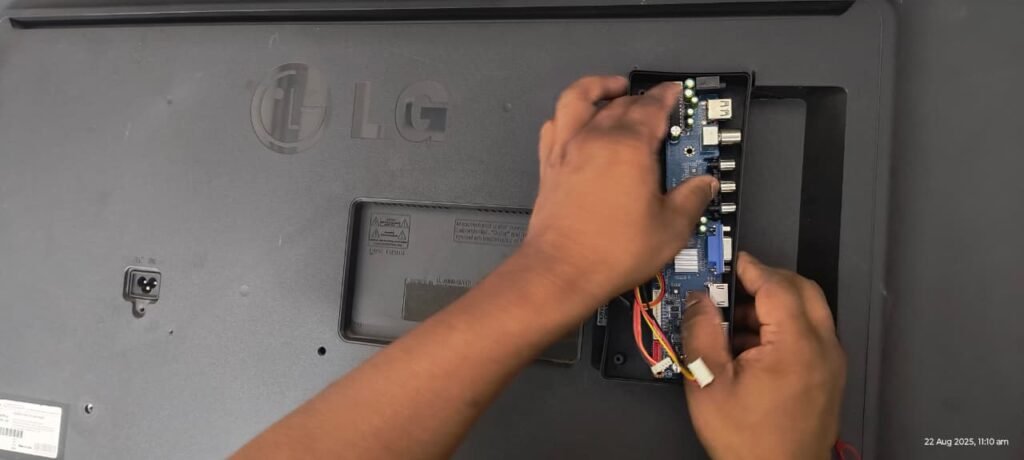
- Verify Cables: Make sure the USB and HDMI cables are in good condition.
- Port Switch: To determine whether the issue is with the port or device, try using a different port or cable.
- Internal Problem: The internal board that regulates these operations may need to be repaired if none of the ports are operational.
Still, if the above steps didn’t work out, then you have to change the motherboard.
6. Remote Control Not Responding
A broken remote control frequently suggests that the TV is broken, but the problem may be more straightforward.
- Replace Batteries: The most frequent reason is weak or dead batteries.
- Sensor Check: Verify that nothing is obstructing the TV’s infrared sensor.
- Test the Remote: By aiming the remote at a phone’s camera and pressing a button, you can see if it is functioning. The remote is working properly if the camera screen flashes.
The TV’s infrared sensor might be the issue if the remote controls function properly but the TV doesn’t react.
Preventive Maintenance Tips
You can avoid needless service calls and frequent malfunctions by taking good care of your television. The following helpful precautions can help you avoid needing to have your LG LED TV repaired in Vizag again:
- To protect your TV from sudden power outages, which are common in many areas of Vizag, use a voltage stabilizer.
- Regular Cleaning: Ventilation and image clarity are impacted by dust accumulation. To keep the TV clean and reduce the need for LG LED TV repair in Vizag, gently wipe the screen and vents with a microfiber cloth.
- Proper Location: Your TV should be placed in a dry, cool, and well-ventilated area. Steer clear of moisture and direct sunlight, as these can cause internal damage or overheating, which may eventually necessitate LG LED TV repair in Vizag.
- Avoid moisture: TVs should not be placed near windows or other damp areas.
- Update Software: Regular software updates ensure bug fixes and enhanced performance.
Conclusion
Although LG LED TVs are dependable, with time and use, they may experience issues like any other device. Most common problems are well understood and have workable solutions, ranging from power problems to sound malfunctions. Knowing these troubleshooting techniques makes it simpler to determine whether you need expert assistance or if you can resolve the problem on your own.
Understanding the fundamentals of LG LED TV repair in Vizag will help you make wise decisions if you live there and deal with problems on a regular basis. Your TV can continue to function well for many years with proper upkeep and care.
FAQs
Q1. How much does LG LED TV repair in Vizag usually cost?
The problem determines how much LG LED TV repair in Vizag will cost. Repairs for screen or backlight issues may be more expensive than minor issues like remote control or cable malfunctions.
Q2. Can software issues be fixed through LG LED TV repair in Vizag?
Yes, with the right LG LED TV repair in Vizag, many software-related issues like freezing, lag, or app crashes can be resolved, frequently with updates or resets.
Q3. Is home service available for LG LED TV repair in Vizag?
You don’t need to carry your TV around because the majority of technicians in Vizag offer doorstep assistance. LG LED TV repair in Vizag is more convenient with home service.
Q4. What are the common issues that need LG LED TV repair in Vizag?
Power outages, picture and sound issues, backlight malfunctions, and HDMI/USB port issues are common problems. These are the most frequently asked-for LG LED TV repair services in Vizag.
Q5. How long does LG LED TV repair in Vizag take?
The majority of simple LG LED TV repairs in Vizag can be finished in a few hours to a day. It could take longer for more complicated problems, like panel replacement.
If you wanted to know about the other TV problems here, I had already written about the Samsung LED TV repairs, Mi LED TV repairs, and one more TV that is none other than Sony LED TV repairs. Here you can get detailed information about the TVs that I had mentioned above.
Here there are some social media links that I personally suggested.